For small organic farms

Every record your certifier asks for — already in your pocket.

Materials & Practices tracks your grows, amendments, harvests, soil tests, leases, and worker hours — the whole paper trail behind your organic certificate — in one wholesome little app.

ON-DEVICE DATA ENGLISH / ESPAÑOL iPHONE + iPAD
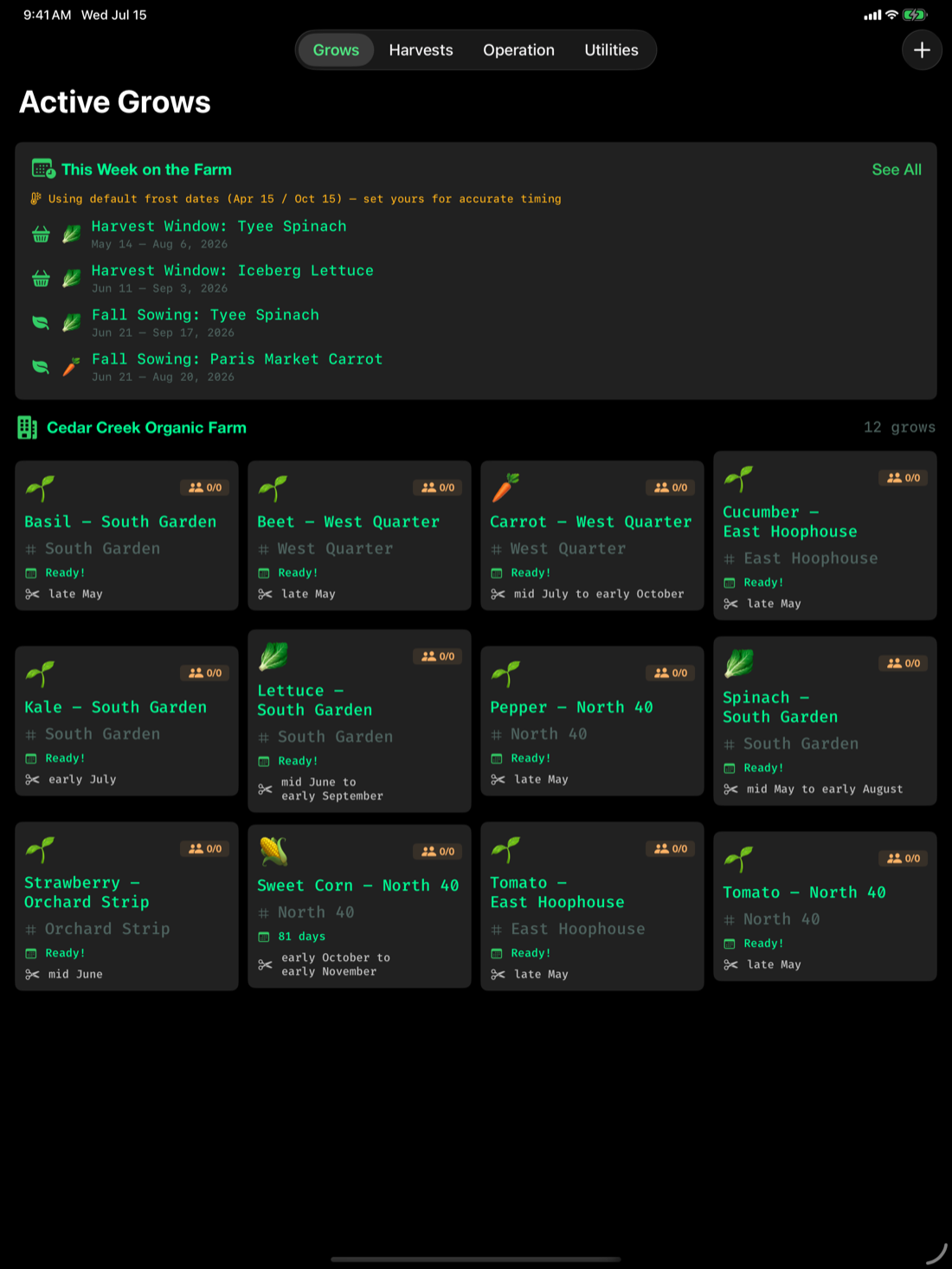
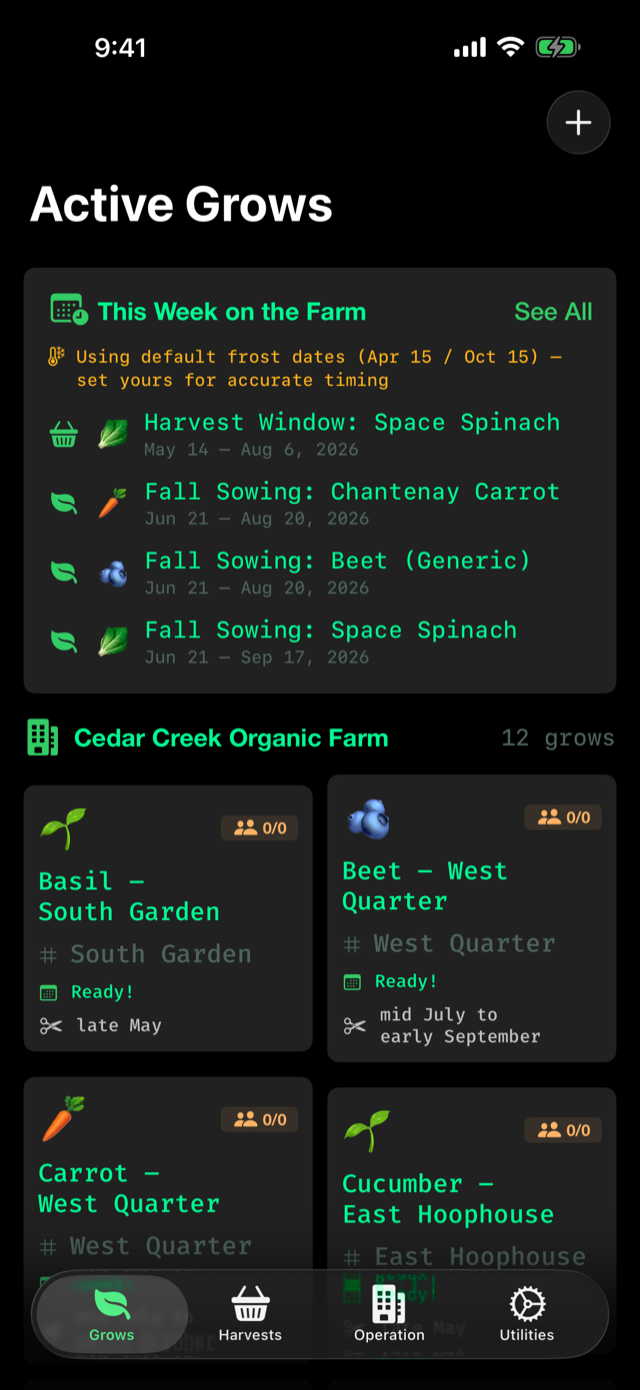
Active Grows screen showing tomato, basil, kale and lettuce plantings at Cedar Creek Organic Farm
USDA cultivar data FSMA harvest safety checklists NOP-minded record trails EN/ES localization Time clock with overtime
From seed to certificate

One app for the whole paper trail

Organic certification runs on records. Materials & Practices keeps them all — tidy, traceable, and ready for audit day.

Grow tracking

Active and finished grows with timelines, work logs, and harvest windows per field.

Harvest calendars

Best-to-fair harvest windows for every cultivar, month by month, from USDA data.

Amendments & inputs

Every application logged with source, rate, field, and date — full input traceability.

Soil tests

pH spectrum, nutrients, organic matter, and the labs that ran them — all on file.

FSMA safety checklists

Harvest-day food-safety checklists built on FDA FSMA produce-rule requirements.

Worker time clock

Multi-worker clock in/out, weekly summaries, and automatic overtime detection.

Leases & land

Agreements, payments, and renewals for every parcel you farm — owned or leased.

Farm ledger

Costs and harvest value beside the agronomy, so the books tell the same story.
A wander through the app

Records that read like your farm

Real screens from a demo season at Cedar Creek Organic Farm — 38½ acres, five fields, twelve grows.

Harvest windows

Know your best week, not just your best guess

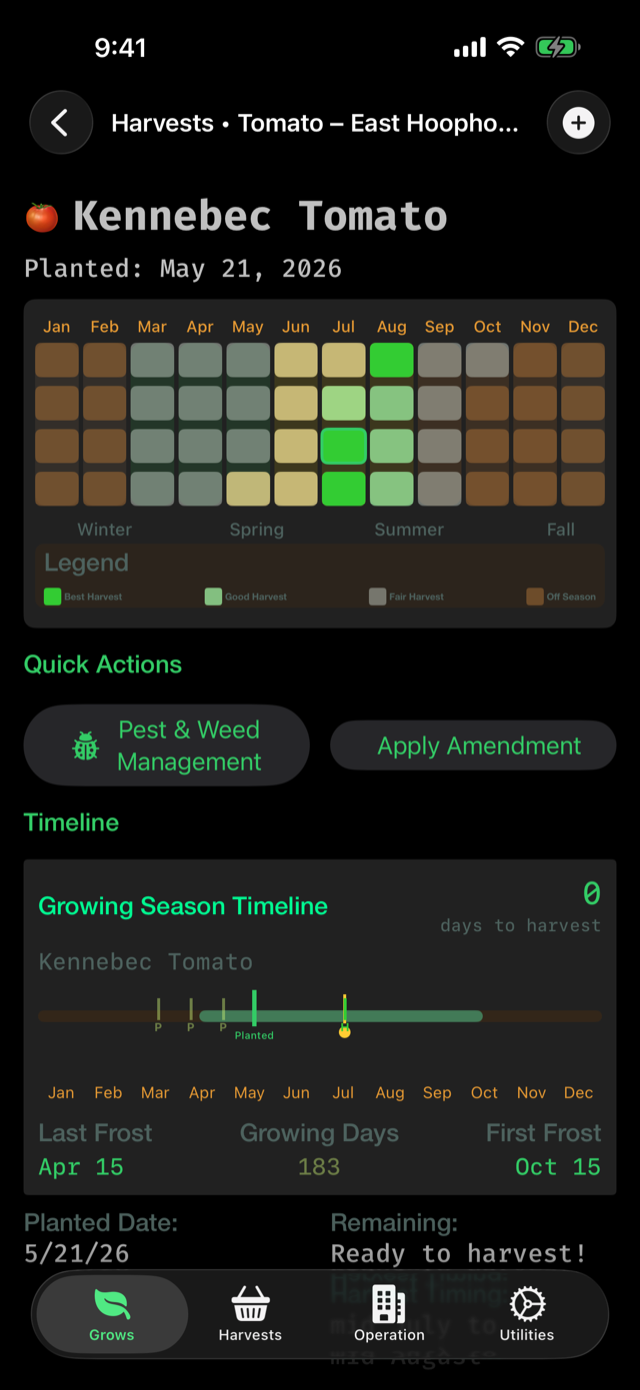
Open any grow and the harvest calendar is right at the top — best, good, and fair windows for that cultivar across the whole year, with days-to-maturity counting down.

  • Month-by-month harvest heatmap
  • Weather tolerance & growing-days per cultivar
  • Pest & weed quick actions from the same screen
Grow detail screen with a harvest window calendar and growing season timeline for a tomato grow
Harvest records

Lot-numbered harvests, ready for traceback

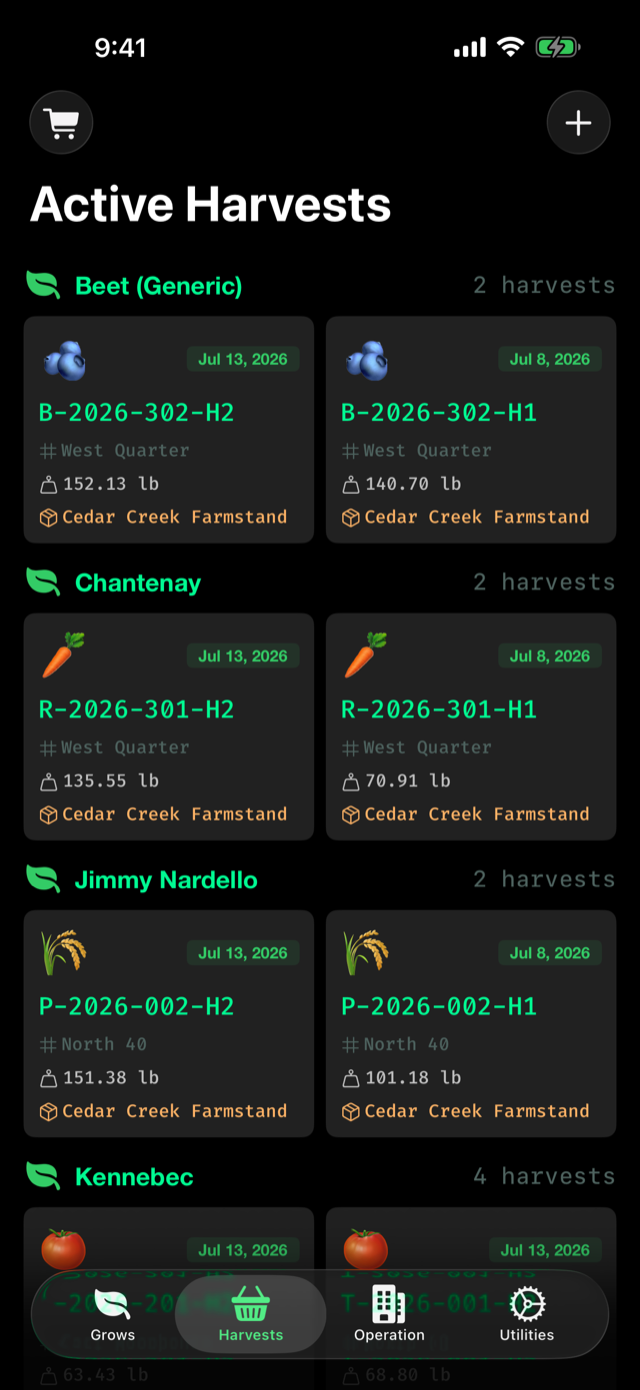
Each harvest gets an ID, a weight, and a home. When a buyer or inspector asks where lot F-2026-401-H2 came from, the answer is two taps away.

  • Net weights and box counts per lot
  • Storage aging at a glance
  • FSMA checklist tied to harvest day
Harvests screen listing stored lots with weights
Operations

The whole farm on one dashboard

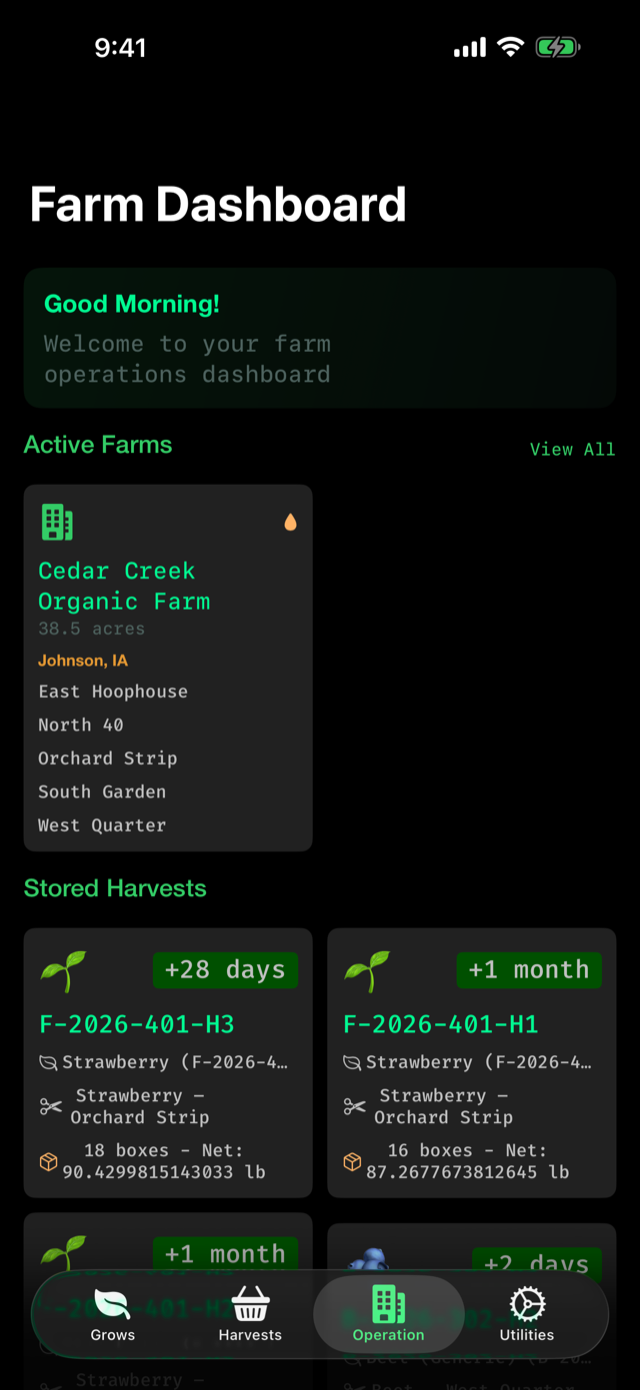
Fields, active farms, stored harvests, local weather — the morning walk-through, before you've had your coffee.

  • Every field and hoophouse in one place
  • Stored harvest aging badges
  • Works offline in the back forty
Farm dashboard showing Cedar Creek Organic Farm fields and stored harvests
Utilities

Time clock, soil tests, leases & the toolshed

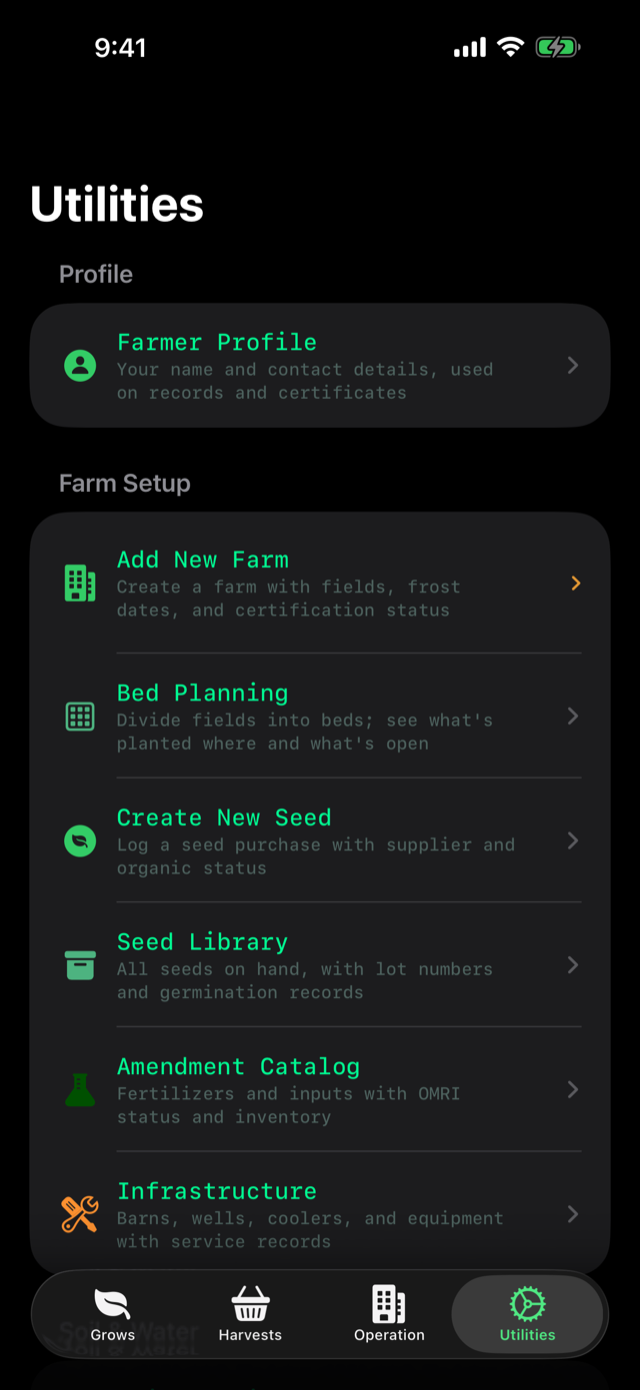
The utilities tab holds the working tools: the multi-worker time clock with overtime detection, soil test logs, lease payments, and your cultivar library.

  • Monday–Sunday weekly hour summaries
  • Lab contacts beside their results
  • USDA cultivar database, offline
Utilities screen with time clock, soil tests, and lease tools
Audit day

Audit day, without the shoebox

Certifiers don't ask for vibes — they ask for records. Materials & Practices keeps the ones the National Organic Program cares about, organized the way your farm actually works.

Input & amendment applications§ 205.203
Field & parcel history§ 205.202
Harvest lots & yields§ 205.103
Soil test results & labsOSP evidence
Worker hours & overtimepayroll-ready
Harvest-day safety checklistsFSMA produce rule
Built for the farm, not the cloud

Your farm's data belongs on your farm

No accounts. No servers. No tracking. Your records live on your device, synced privately through your own iCloud — and nowhere else.

01

No sign-up, ever

Download it and start logging. There is no account to create, no email to hand over, no onboarding funnel.

02

Yours on iCloud

Records sync between your iPhone and iPad through your personal iCloud (CloudKit). We never see them.

03

Works in the back forty

Everything works offline — the cultivar library, the time clock, the checklists. Signal optional.

Also on the big screen

Kitchen-table planning on iPad

The same records, laid out for winter planning sessions and side-by-side comparisons.

Materials & Practices grows overview on iPad
Free · iPhone & iPad · English & Español

Grow something worth certifying.